Swati Mishra

Updated 3 weeks ago

Lightweight dock for quick app access

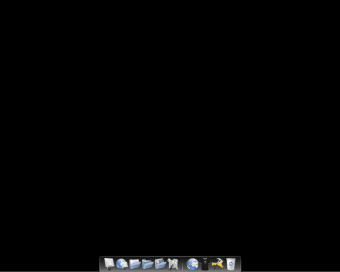
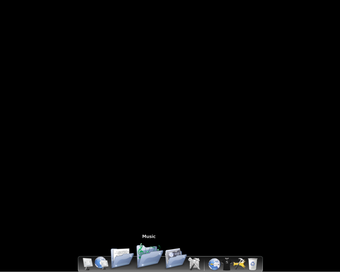
RocketDock is a free Windows desktop customization program that provides a dock-style launcher for quick access to applications and files. It places a configurable bar of icons on the edge of the screen, helping users organize shortcuts, reduce desktop clutter, and maintain fast, efficient navigation across daily tasks and common workflows.

Top Recommended Alternative
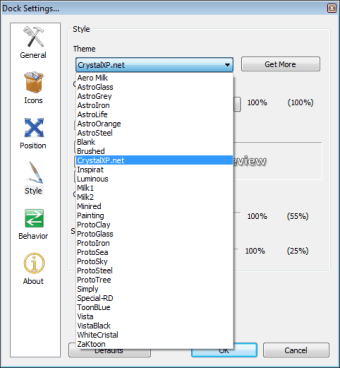
RocketDock also focuses on simplicity and low system usage, making it suitable for older or less powerful computers. The program supports drag-and-drop shortcuts, basic animations, and skin customization, allowing users to change how the dock looks without deeply modifying core Windows system settings or installing additional background tools or services.

Practical and customizable dock experience

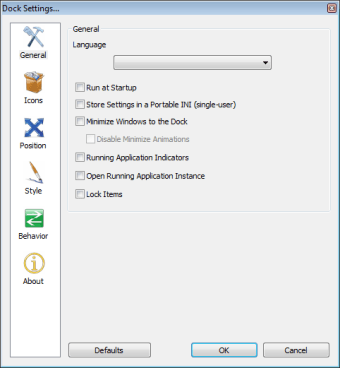
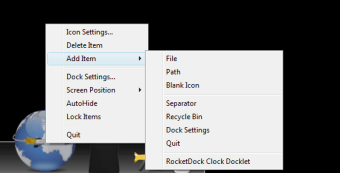
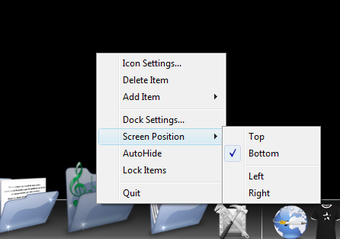
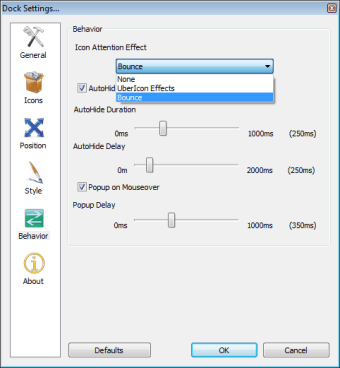
RocketDock includes practical features such as minimizing windows directly to the dock, real-time window previews, and clear running application indicators. It uses a simple drag-and-drop interface and supports smooth icon zoom and transition effects. Auto-hide behavior, pop-up-on-hover actions, and flexible positioning and layering options improve accessibility, but the overall functionality remains limited compared to modern docks that offer deeper customization, widgets, and integrated system tools.

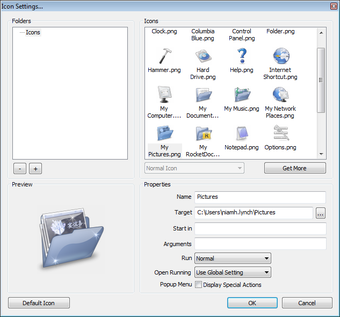
The program supports multi-monitor setups and works well on slower computers due to its low resource usage. It accepts alpha-blended PNG and ICO icons and is customizable through skins and layout settings. However, it is no longer actively developed, which leads to occasional compatibility issues with newer Windows versions. Although completely portable and Unicode compliant, long-term reliability and future system support remain uncertain.

The software supports ObjectDock docklets and is compatible with skins from MobyDock, RK Launcher, and Y’z Dock, allowing users to reuse existing visual themes. It also supports multiple languages and can be easily translated for broader accessibility. Alternatives such as Winstep Nexus and Rainmeter-based launchers provide more advanced tools, but they typically require greater system resources and a more complex setup.

Reliable and efficient desktop tool

RocketDock is a practical desktop launcher that delivers basic dock functionality without unnecessary complexity. Although it lacks ongoing updates and advanced features, it remains stable, responsive, and easy to use for everyday shortcut management. Users who prefer minimal system impact, visual simplicity, and classic dock behavior may still find this program useful, particularly on older or lower-spec Windows systems where performance matters.

Swati Mishra

Swati has over a decade of experience in content strategy, SEO, and editorial writing across technology and travel. She specializes in technical reviews, structured guidelines, and long-form pieces. Her work focuses on clear organization, search intent, and practical takeaways for readers evaluating software and digital tools.

  • Pros

    • Lightweight and low resource usage
    • Simple and easy to configure
    • Supports skins and icon customization
  • Cons

    • Limited features compared to modern docks
    • Occasional compatibility issues with newer Windows versions
    • No longer actively developed
 0/8

App specs

  • License

    Free

  • Version

    1.3.5

  • Latest update

  • Platform

    Windows

  • OS

    Windows XP

  • Language

    English

    Available languages

    • Arabic
    • Czech
    • Danish
    • German
    • Greek
    • English
    • Spanish
    • Finnish
    • French
    • Italian
    • Japanese
    • Korean
    • Dutch
    • Norwegian
    • Polish
    • Portuguese
    • Russian
    • Swedish
    • Turkish
    • Chinese
  • Downloads

    1M

    Last month's downloads

    • 2.2K
  • Size

    6.46 MB

  • Developer

Program available in other languages


User reviews about RocketDock

4.2

8 reviews

Add review

Main reviews for you

  • S eegor

    MAIN MONITOR UPDATE

    Best dock, I'm not using it only because its missing an important option "set on MAIN monitor" not "monitor1" or "monitor 2" but "MAIN MONITOR". It keeps switching on monitor i don't want during windows startup, and i cant do anything about it. Object dock has that feature so I'm force to use OD which i don't like that much. PLEASE FIX THAT!

  • Anonymous user

    Muy buena aplicación para tener acceso a tus aplicaciones preferidas. Elegante y estética.

  • Anonymous user

    Easy to organize my most frequently used applications. It is easy to use and visually pleasing

  • Anonymous user

    Excellent tool to open your most frequently used programs.. Easy to customize and easy to use, but can slow your computer down considerable when booting up. Not a problem once the bar is open and used for the first time.

  • Anonymous user

    Just what Windows needs. A great way to give your Windows a new look. The dock is great for your favorite apps (after you hide the actual Windows taskbar). Pros: It gives your Windows a DOCK!!! Cons: NONE!

  • Anonymous user

    Brilliant. It's fast, fully customizable and doesn't need a lot of RAM. AND, it's completely FREE!!Don't get something like ObjectDock ... that's a limited functionality program where they're always pestering you to buy the "full" program. Also, ObjectDock needs more RAM to function. Pros: - freeware- fully customizable- fast (doesn't hamper comp performance)- small download, fast install Cons: Nothing

More

You may also like

Alternatives to RocketDock

Explore Apps

Latest articles

Laws concerning the use of this software vary from country to country. We do not encourage or condone the use of this program if it is in violation of these laws.
Softonic

Is RocketDock safe?

100/100

Score result: Clean

This file passed a comprehensive security scan using VirusTotal technology. It is safe to download.

  • Virus free
  • Spyware free
  • Malware free
  • Verified by Security Partners

    VirusTotal logo

Scan Info

Last scan
Friday, November 17, 2023
Scan provider
VirusTotal · Full report

File Integrity

File
RocketDock-v1.3.5.exe
SHA256
43759b0c441fd4f71fe5eeb69f548cd2eb40ac0abfa02ea3afc44fbddf28dc16
SHA1
25e5e553af5e2d21b5cfc70ba41afb65202f6fd5

Softonic security commitment

RocketDock has been thoroughly scanned by our advanced security systems and verified by industry-leading partners. This file comes from the official developer and has passed all our security checks, showing no signs of viruses, malware, or spyware. For more information, visit our Security and Trust Center